


How Do I Properly Maintain A Multimeter?

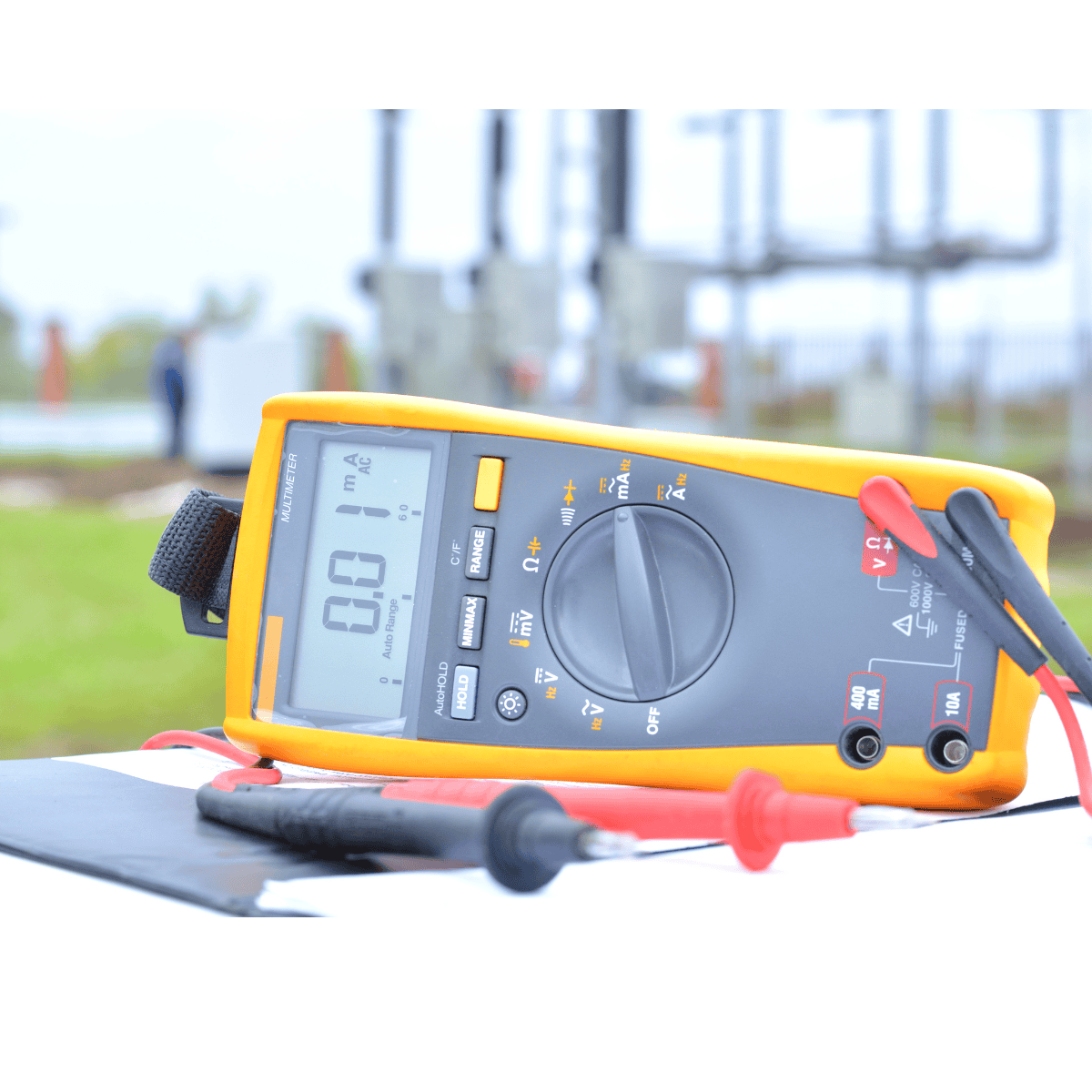
To properly maintain a multimeter you will need to keep it clean and dust free. Keeping it stored in a protective case in a cool and dry environment will keep it protected from drops and damaged leads. Always check the batteries regularly, use the correct range setting to avoid overloading, and follow the manufacturer’s manual. Most importantly, have the multimeter calibrated periodically to ensure accurate and reliable measurements over time.
Multimeters aren’t exactly the cheapest tool out there. You are going to want to get the most out of the investment you make. With proper care, a multimeter can easily last you decades.
Additionally, regularly calibrating your multimeter helps maintain its accuracy and ensures that it continues to provide reliable readings over time.
By investing a little time and effort into caring for your multimeter, you not only safeguard your valuable tool but also ensure that it remains a trustworthy companion in your electrical work, enhancing your productivity and enabling you to tackle challenges with confidence.
This article delves into the proper care and maintenance of multimeters, from proper to handling to the best storage options.
In This Article:
- Keep The Multimeter Clean and Dust-Free
- Store The Multimeter Properly
- Handle The Multimeter with Care
- Check and Replace Batteries
- Avoid Overloading
- Read The Multimeter’s Manual
- Perform Multimeter Calibration
- Multimeter Maintenance FAQs
This is the fourteenth article in our series, The Definitive Guide to Multimeters.
If you missed the last part of the series: How to Use a Multimeter, check it out now! You will be able to work your way back to this article quite quickly.
Keeping The Multimeter Clean And Dust-Free

Dust and dirt can accumulate on the surface and probes of your multimeter, affecting its accuracy and performance. Regular cleaning is necessary to prevent these particles from interfering with the electrical connections.
How To Clean A Multimeter
- Turn off the multimeter and remove the test leads.
- Gently wipe the exterior surfaces with a soft, lint-free cloth.
- Use compressed air or a small brush to remove dust from the probes and sockets.
- Reattach the test leads securely once the multimeter is clean.
Fluke, the undisputed leader in multimeters, has a great breakdown of some important things to remember while cleaning a multimeter:
- Use clean cloths or alcohol-based swabs
- Use up to 70% isopropyl alcohol solution
- Use up to 3% hydrogen peroxide solution
- Dry your equipment after every cleaning
- Use soap and water for thorough cleaning of IP67 rated tools (such as the 87V Max)
They also remind us not to do the following:
- Use abrasives or industrial cleaners
- Immerse tools in liquid (e.g. soapy water)
- Use a Fluke Meter Cleaning Wipe for regular cleaning
- Use soap and water (except with IP67-rated tools)
Storing The Multimeter Properly

Proper storage is essential to protect your multimeter from physical damage and environmental factors. Follow these guidelines to ensure safe storage:
How To Properly Store A Multimeter
- Store Multimeters in a Cool, Dry Place
- Store Multimeters in a Protective Case
- Store Multimeters Away From Dangerous Conditions
- Store Multimeters Where they Are Accessible
- Store Multimeters Carefully
Store Multimeters In A Cool, Dry Place
Keep your multimeter in a dry and cool place, away from direct sunlight, extreme temperatures or excessive humidity. Be extra sure that no moisture or water can come into contact with the multimeter, to avoid any water damage or circuit shorting possibilities.
Store Multimeters In A Protective Case
Store your multimeter in a protective case or pouch to prevent scratches, impacts, and dust accumulation. The case should provide adequate cushioning and secure the multimeter in place to prevent any accidental movement or damage.
Be sure to use a case that is large enough to keep all the pertinent pieces together in one place. There is nothing worse than having to search around for an hour looking for your test leads right as you are about to start on a project.
Store Multimeters Away From Dangerous Conditions
Avoid storing it near moisture, chemicals, solvents, or magnetic fields that could potentially damage the internal components. Also, try to avoid an situation where electric or physical shock could occur. This means not storing it on the highest shelf or immediately next to a high voltage power panel.
Store Multimeters Where They Are Accessible
Storing the multimeter in a location where it is easily accessible and visible can help in locating it quickly when needed. This goes along with the above point of not storing on the highest shelf away from view.
Store Multimeters Carefully
Inside the case itself, you will want to make sure the multimeter and its components are stored carefully. Some things to pay attention to when doing so are:
- Remove the test leads.
- Wrap or bend the test leads carefully, making sure there’s no stress on the fittings.
- Avoid wrapping the test leads around the meter and tossing it into a gang box or tool pouch. This can degrade the integrity of the leads.
- Remove the batteries if you’re storing it for a long time. This will prevent corrosion from building up at the battery connections.
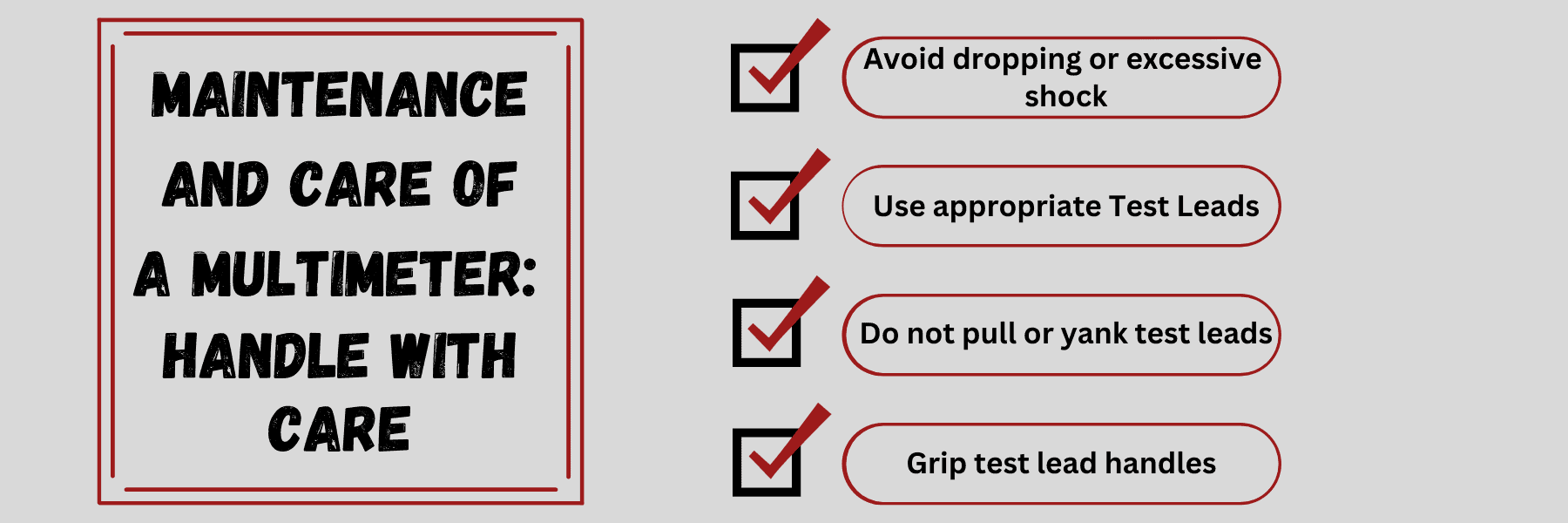
Handling The Multimeter With Care
Inside the case itself, you will want to make sure the multimeter and its components are stored carefully. Some things to pay attention to when doing so are:
- Remove the test leads.
- Wrap or bend the test leads carefully, making sure there’s no stress on the fittings.
- Avoid wrapping the test leads around the meter and tossing it into a gang box or tool pouch. This can degrade the integrity of the leads.
- Remove the batteries if you’re storing it for a long time. This will prevent corrosion from building up at the battery connections.
Checking And Replacing Batteries On A Multimeter
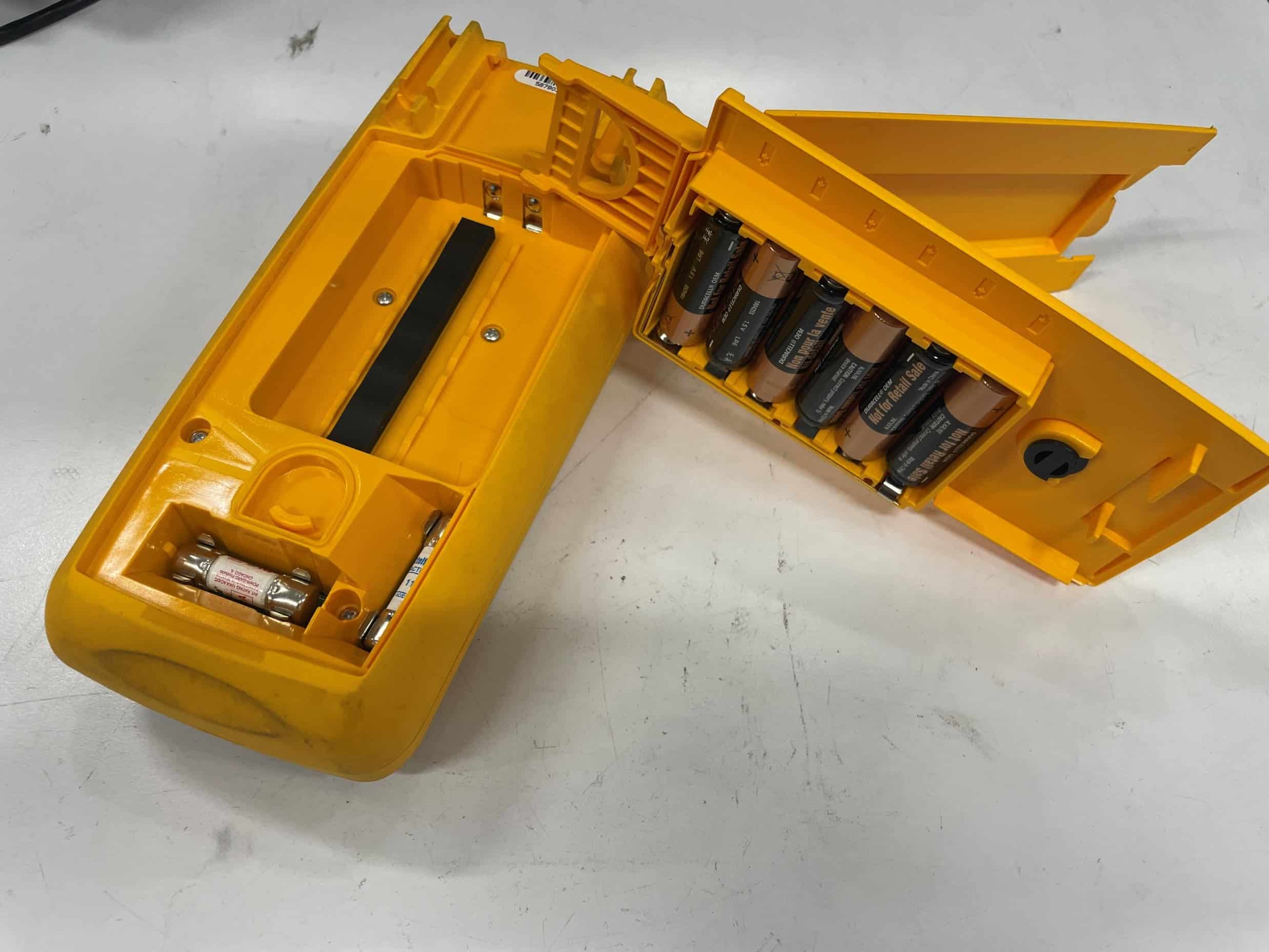
Digital multimeters (DMMs) rely on batteries for their operation, and low battery levels can affect their performance and accuracy. Follow these steps to check and replace batteries effectively:
How To Replace Multimeter Batteries
- Turn off the multimeter and remove the test leads.
- Locate the battery compartment and open it according to the manufacturer’s instructions.
- Check the battery levels or use a battery tester to determine their charge.
- If the batteries are low or depleted, replace them with the correct type and ensure proper polarity.
- Close the battery compartment securely before using the multimeter again.
It bears noting that not every multimeter is going to have the exact same process for replacing batteries. This is why getting to know your multimeter and its manual is critical.
Avoid Overloading A Multimeter
As we have mentioned seemingly 100 times by now (it’s that important), not overloading your multimeter is crucial. Every multimeter has its maximum limits for voltage, current, and resistance measurements. Exceeding these limits can cause damage to the multimeter or pose a safety hazard. Follow these guidelines to avoid overloading your multimeter:
How To Avoid Overloading A Multimeter
- Always verify the expected voltage, current, or resistance range before making any measurements.
- Use the appropriate function and range settings on your multimeter.
- Start with the highest range setting and gradually decrease it until you obtain accurate readings.
- If unsure about the magnitude of the measurement, start with a higher range to prevent overloading.
- If the multimeter reads “1” or displays “OL”, it’s overloaded. You will need to try a higher mode.
The good news is most modern DMMs come with excellent overload protection and can recover automatically.
Read The Multimeter’s Manual

As simple as this may seem, reading the user manual for your multimeter really is this important. We all know the guy who immediately throws out the instructions. While that may be cool when building a swing set, destroying your expensive multimeter due to pride doesn’t seem as fun.
The manual gives you a complete understanding of the device’s features, functions, and how to use it. It has valuable info on setting up the multimeter correctly, choosing the right measurement range, and interpreting the readings accurately. It also has important safety instructions, especially for dealing with high-voltage circuits or specific measurement situations.
By familiarizing yourself with the manual, you can maximize the multimeter’s capabilities, avoid potential hazards, and ensure precise measurements in a wide range of electrical and electronic applications.
Perform Regular Multimeter Calibration
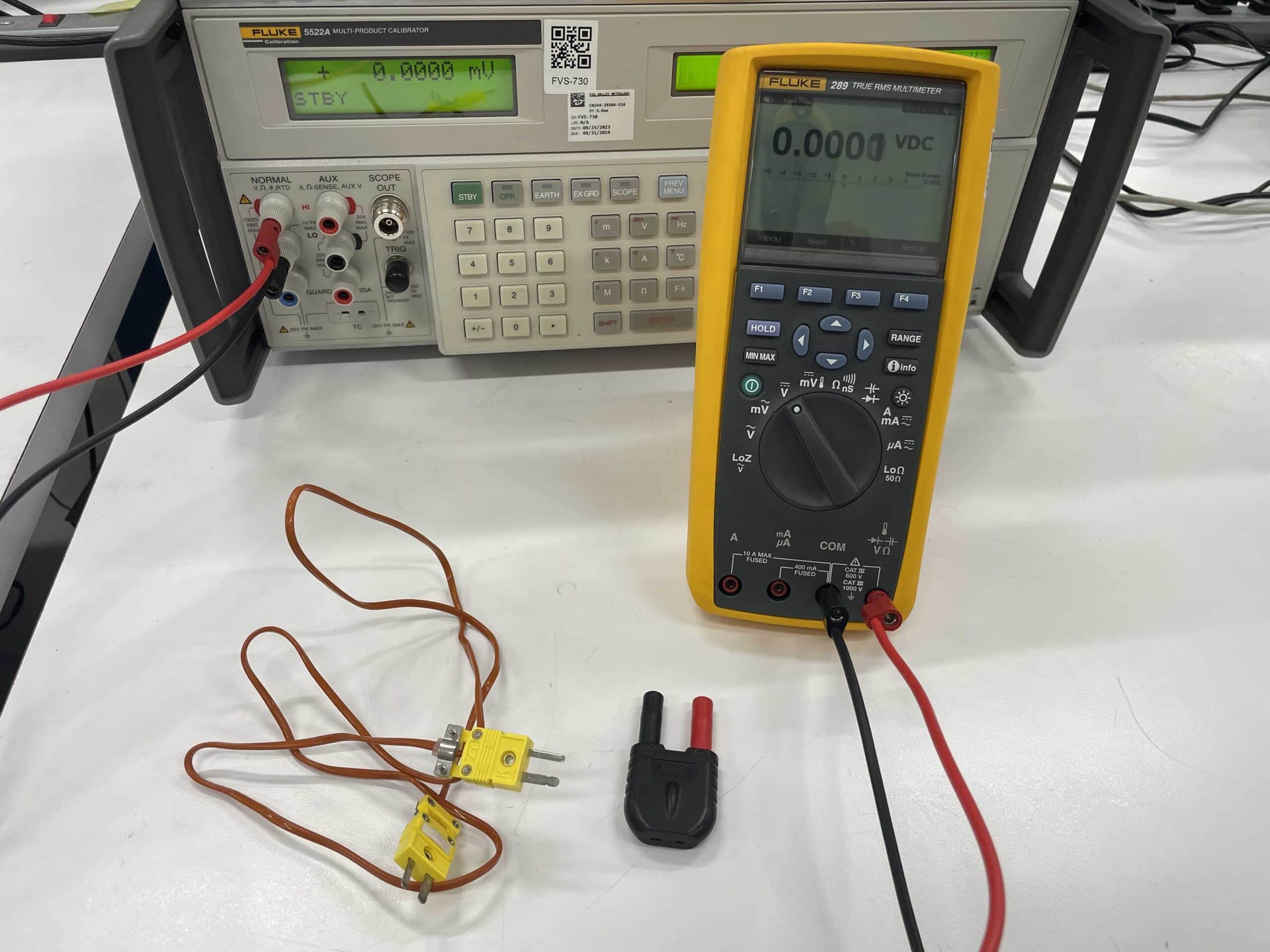
Over time, multimeters can drift from their original calibration due to factors such as temperature variations, mechanical stress, and component aging.
For accurate measurements, make sure to calibrate your multimeter regularly. Calibration means comparing its readings with a known reference value or a certified standard.
By having your multimeters calibrated regularly, you can have confidence in the accuracy of your measurements, which is crucial for troubleshooting, maintenance, and quality control processes.
Calibration also helps identify and correct any systematic errors, ensuring consistent and precise readings. It is a proactive step that ensures the integrity of your measurements and helps maintain the overall efficiency and safety of your electrical work.
Here are some points to consider regarding calibration:
- Follow the manufacturer’s guidelines for calibration intervals and procedures.
- If your multimeter is used frequently or subjected to harsh conditions, consider more frequent calibrations.
- Professional calibration services can provide accurate and traceable calibration results.
Conclusion
Taking care of your multimeter is essential to ensure its accuracy, safety, and longevity. Regular cleaning, proper storage, careful handling, and timely battery replacement all help prevent damage and maintain reliable performance. Most importantly, don’t overlook regular calibration as it is the key to ensuring every reading you take is precise and trustworthy. With proper maintenance and calibration, your multimeter will continue delivering dependable results for years to come.
Multimeter Maintenance FAQs
Q1. How often should I calibrate my multimeter?
Typically you should calibrate your multimeter annually, but if used in heavy or harsh conditions it may require calibration more frequently.
Q2. Can I clean my multimeter with water?
Multimeters models with an IP67-rating can have water on the multimeter, but is still not recommended. Typically use alcohol swabs for cleaning your multimeter.
Q3. Why should I check my multimeter batteries regularly?
Having low battery in your multimeter can cause inaccurate readings which can mess up your task, project, or product.
Q4. How do I know if my multimeter is overloaded?
You can tell if your multimeter is overloaded by looking for “OL” or “1” on the display. If this is displayed, switch to a higher range.
The Definitive Guide To Multimeters
What’s Next: How Do I Calibrate A Multimeter?
Now that we know the best way to care for and maintain multimeters, let’s expand on the most important part of that process: multimeter calibration.
In the next section, we will dive into everything you need to know about multimeter calibration, from how frequently to have your multimeter calibrated to the exact process of multimeter calibration (should you choose to perform the calibration yourself). Let’s get started and head to Section 15: Multimeter Calibration.
ISO/IEC 17025 Accredited Multimeter Calibration
Fox Valley Metrology offers precise multimeter calibration for any make or model. Our ISO/IEC 17025 accreditation guarantees testing to the highest industry standards. We offer fast, reliable in-lab or onsite calibration services to fit your needs and schedule.
- ✓ ISO/IEC 17025 accredited calibration vendor
- ✓ Broadest calibration scope in the industry
- ✓ 3-5 day turnaround time in-lab calibrations
- ✓ Pickup and delivery service options
- ✓ Onsite calibration available